


How to improve accessibility in the workplace through better facilities
Workplace | 25-08-26

Accessibility in the workplace is often thought about in terms of ramps, lifts, parking spaces, accessible toilets – and while these things matter, they're only part of the picture.
A genuinely accessible workplace depends on the everyday facilities people use once they're inside the building: kitchens, hydration points, meeting rooms, breakout areas, lighting, controls, and equipment can all either support independence or create barriers.
For facilities managers, workplace teams, and employers, then, the question is not only whether people can enter and navigate a building, but also whether they can use it. In this blog, we’ll look at accessibility in the workplace, what this means in practice, how better facilities can help remove everyday barriers, and how accessible hydration solutions can support a more inclusive workplace.
Quick answer
-
To improve accessibility in the workplace, employers should remove barriers from both physical spaces and everyday facilities. That means regularly reviewing routes, kitchens, meeting rooms, toilets, hydration points, signage, controls, and equipment, then making practical changes that support disabled employees, visitors, and anyone with changing access needs.
What does accessibility in the workplace mean?
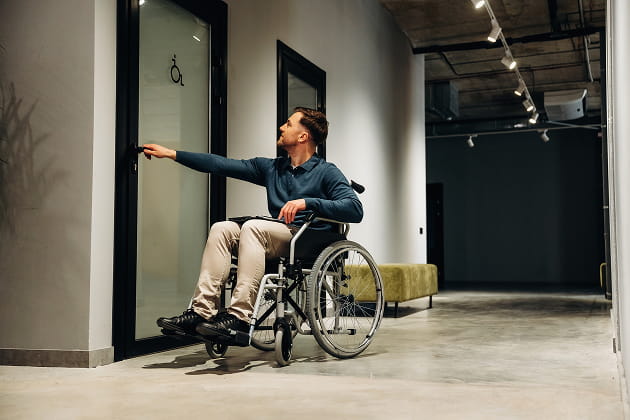
Accessibility in the workplace is about creating a more inclusive environment, where everyone can work safely, comfortably, and independently. That includes, but is not limited to, disabled employees, visitors, customers, contractors, and people with temporary injuries, long-term health conditions, limited mobility, visual impairments, limited dexterity, mental health conditions, or neurodivergent needs.
An accessible workplace means thinking about physical accessibility, digital accessibility, and culture, as well as the everyday systems people rely on to do their jobs. In the UK, employers have a legal duty to make reasonable adjustments where disabled employees or job applicants would otherwise be put at a disadvantage. As an FM or office manager, the most important thing to take away here, though, is that accessibility should be designed into the workplace to begin with – not only considered after someone raises an issue.
Why accessible facilities matter
Accessible facilities play a crucial role in creating a workplace environment where people feel included, supported, and able to contribute. When everyday facilities are difficult to use, the negative impact can feel significant.
A person may avoid certain spaces, need to ask colleagues for help, feel less independent, or experience repeated friction during the working day. Over time, smaller barriers can affect confidence, productivity, wellbeing, and inclusion.
Improving accessibility can benefit more people than businesses sometimes expect. Disabled individuals may need specific adjustments, but many accessible practices also support:
-
older workers
-
pregnant employees
-
people recovering from injury
-
neurodivergent employees, visitors, and customers
An inclusive workplace is not only about compliance. It is about creating an inclusive environment where people can use the workplace in ways that feel safe, comfortable, and dignified. Here are three practical ways to improve accessibility in the workplace:
1. Review everyday facilities with the people who use them
The best way to improve accessibility is to look at the workplace through the experiences of the people using it. A facilities review should go beyond obvious access points and consider the moments people rely on repeatedly throughout the day.
Common accessibility barriers include:
-
entrances, doors, routes, and circulation spaces
-
accessible toilets and welfare areas
-
kitchens, tea points, and hydration areas
-
meeting rooms and breakout spaces
-
desks, shared workstations, and reception areas
-
signage, lighting, contrast, and acoustics
-
controls, handles, buttons, taps, screens, appliances, and shared tools
-
emergency routes and evacuation procedures
-
digital tools, internal documents, and workplace systems
-
Just as importantly, employers should involve disabled staff and other users before making decisions. People with lived experience can often identify accessibility issues that are easy to miss on a standard walkaround. Feedback could come through anonymous surveys, employee resource groups, facilities requests, HR conversations, or direct input from disabled employees. The aim is to understand where barriers appear, then remove them in a practical and respectful way.

For new spaces, refurbishments, or product specifications, accessibility should be considered as early as possible. Retrofitting later can limit what is possible, especially in kitchens, tea points, toilets, and shared facilities where layout, reach, turning space, lighting, and installation height all affect usability.
Design accessible kitchens, water points, and hydration areas
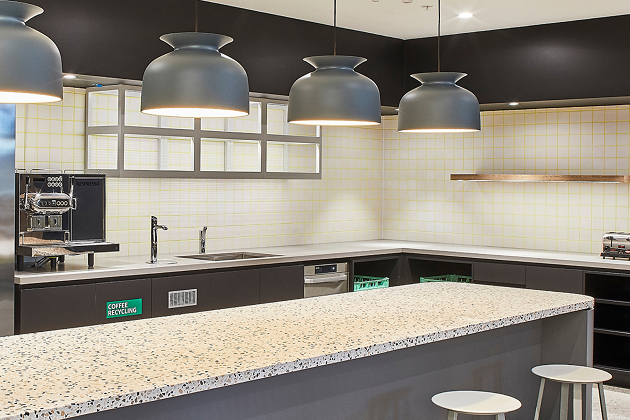
Kitchens, water points, and hydration areas are used throughout the working day, which makes them an important part of workplace accessibility. If someone can't comfortably reach the tap, operate controls, lift a kettle, or move safely around the space, then the facility may not be accessible in practice. That can make something as simple as getting a drink feel difficult or dependent on someone else.
Accessible hydration areas should consider:
-
clear routes to the water point
-
enough space for wheelchair users to approach and turn
-
suitable worktop and installation heights
-
controls positioned within easy reach
-
visual contrast on labels, buttons, and surrounding surfaces
-
tactile controls for users with visual impairments
-
options that support people with limited dexterity
-
safe access to boiling water
-
placement that avoids overreaching
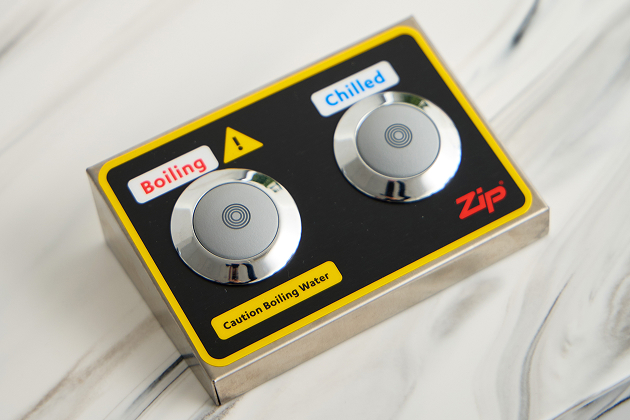
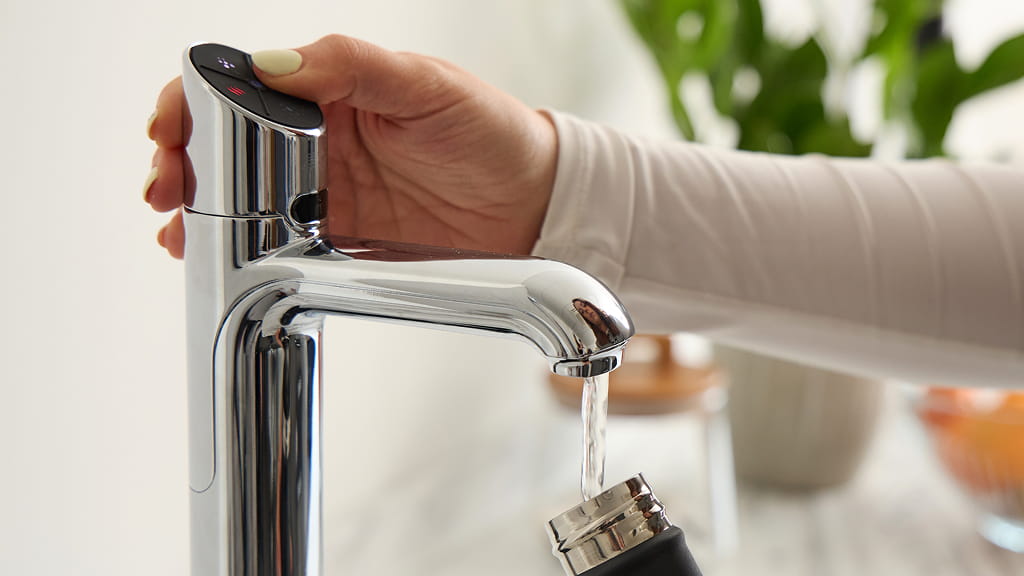
Zip Water’s HydroTap accessibility controllers are designed to support easier use of workplace drinking water systems. The controller uses large, tactile buttons and high-contrast labels developed with the Royal National Institute of Blind People (RNIB) to support visual clarity. It can also be operated with a closed fist or elbow, which can help users with limited dexterity. For boiling water, safety is especially important. The controller includes a press-and-hold safety mechanism, helping users pour boiling water more safely and reducing the risk of accidental dispensing.
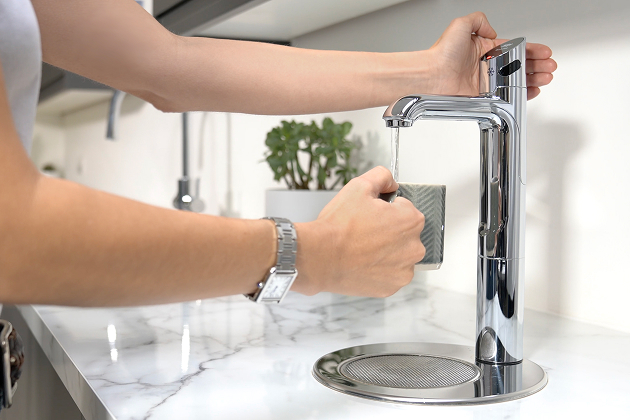
Depending on the model, HydroTap provides filtered boiling, chilled, sparkling, and ambient water from a single system, helping facilities teams provide accessible hydration in kitchens and breakout spaces. The HydroTap Touch-Free Wave is a 100% contactless option, designed for easier use in shared workplace environments by reducing the need to touch the tap directly.
The key point here is that accessible drinking water is not just about the product. It's about where the tap is positioned, where the controller is installed, whether the user can approach it, whether the controls are clear, and whether the space supports independent use.
Make controls, appliances, and shared equipment easier to use
Accessible facilities often come down to practical details. A product may be suitable for some people, but if controls are small, hard to see, difficult to press or placed too far away, it can create barriers for some users.
When reviewing shared workplace equipment, facilities managers should ask:
-
Can it be used from a seated position?
-
Are the controls large enough and clearly labelled?
-
Is there enough visual contrast?
-
Can someone with limited dexterity use it?
-
Does it require grip, force, or twisting?
-
Is there tactile feedback?
-
Does the finish create glare?
-
Can it be used safely without assistance?
This applies to hydration systems, kitchen appliances, vending machines, access controls, meeting room technology, printers, lockers, and other workplace tools. Zip’s HydroTap accessibility controllers are a useful example of how small design details can make everyday facilities easier to use. Large, tactile buttons, high-contrast labels, closed-fist or elbow operation, and boiling water safety controls all help make the system clearer, safer, and easier for more people to operate.
Keep accessible facilities working through planned servicing
Shared workplace facilities need to be available, reliable, and easy to use over time. If a hydration point is out of service, controls are not working properly, or if servicing has been missed, it can quickly create another barrier for the people who rely on it.
This is where planned servicing matters. Accessible facilities should be checked, serviced, cleaned, and kept clear so they continue working as intended. Routes should not be blocked by deliveries or furniture; signs should be visible; lighting should be reviewed; controls should be checked; hydration points should remain safe, reliable, and easy to use.
Bespoke HydroCare plans help facilities teams keep Zip and non-Zip drinking water systems performing as intended through planned servicing, filter changes, sanitisation, and ongoing support. This can reduce reactive issues and help keep hydration points accessible for employees, visitors, and building users. For facilities teams, our plans support a simple principle: accessibility should be protected in daily operation, not just achieved at installation.
Building accessibility into everyday workplace facilities
Improving accessibility in the workplace means removing the barriers people encounter throughout the working day: reviewing everyday facilities with those who use them, designing kitchens and hydration areas for independent use, making controls easier to operate, and keeping accessible facilities working through planned servicing.
For workplace hydration, Zip HydroTap accessibility controllers, touch-free options, and HydroCare servicing can help businesses provide drinking water solutions that support safer, easier, and more independent access for more users.

Looking to improve accessible hydration in your workplace? Explore HydroTap accessibility options or speak to a Zip specialist about how drinking water solutions can support more inclusive facilities.
FAQs
What are the legal requirements for workplace accessibility?
In the UK, employers have duties under the Equality Act 2010, including making reasonable adjustments where disabled employees or job applicants would otherwise be put at a disadvantage. Employers should refer to official guidance when reviewing their legal responsibilities. Accessibility compliance can reduce legal risks; however, an accessible workplace should not only be about what is legally required. It should also be about creating a more inclusive, usable, and supportive workplace environment.
What is physical accessibility in the workplace?
Physical accessibility means making sure people can safely and comfortably enter, move around, and use the workplace. This can include step-free access, wider doorways, accessible toilets, accessible restrooms, suitable desk layouts, clear circulation routes, and easy access to kitchens, hydration points, meeting rooms, and welfare spaces. Physical accessibility can include installing lifts, ramps, automatic doors, clear signage, appropriate lighting, and controls that can be reached and used by people with different needs.
What does disabled access include?
Disabled access includes the physical features, facilities, tools, and support that help disabled people use a workplace safely and independently. This can include routes into and around a building, accessible toilets, suitable parking, lifts, ramps, doors, desks, meeting rooms, signage, workplace technology, and shared facilities. Disabled access should consider less obvious barriers, such as hard-to-use controls, poor contrast, inaccessible documents, unsuitable training courses, and facilities that require someone to ask for help when they should be able to use them independently.
What are the 7 pillars of accessibility?
There is no single universal definition of the 7 pillars of accessibility, but useful areas to consider include: physical access, digital access, communication, inclusive culture, reasonable adjustments, assistive technology, and ongoing review. Together, these help businesses think beyond one-off adaptations and look at the whole workplace experience.
What are examples of accessibility barriers in the workplace?
Examples of accessibility barriers include steps without an alternative route, narrow doorways, blocked corridors, poor lighting, unclear signage, inaccessible restrooms, hard-to-use controls, meeting rooms without captioning options, documents that do not work with screen readers, and workplace tools that are difficult for disabled employees to use.
How can we improve accessibility?
Accessibility can be improved by listening to employees, auditing the workplace environment, removing physical and digital barriers, training staff, offering flexible working where appropriate, specifying more accessible tools and systems, and reviewing progress regularly. Universal design principles also help – which means designing spaces, systems, and facilities that can be used by as many people as possible, rather than creating separate solutions only when a specific need arises.
How can inclusive design support workplace accessibility?
Inclusive design supports workplace accessibility by considering different needs from the start. Instead of retrofitting changes later, businesses can design facilities, products, layouts, and processes that are easier for more people to use. In practice, inclusive design might mean placing controls within reach, using high-contrast signage, reducing glare, providing clear routes, offering information in different formats, and choosing shared equipment that can be used by people with different levels of mobility, vision, dexterity or confidence.
How can training support a more accessible workplace?
Training helps employees, managers, and facilities teams understand accessibility barriers, communicate more confidently, and support colleagues more effectively. This might include disability awareness training, neurodiversity training, inclusive meeting guidance, and training courses that explain how to use accessible systems or assistive technology. At Zip Water, we regularly offer accredited CPDs covering a range of topics, so keep an eye out for upcoming opportunities about designing for accessibility.
How can assistive technology devices improve accessibility?
Assistive technology devices and software can help remove barriers for employees with different needs. Examples include screen readers, speech-to-text software, captioning tools, ergonomic equipment, alternative keyboards, hearing support systems, and accessible meeting platforms. Assistive technology should not be treated as a niche add-on. When tools, systems, and resources are designed to work well for more people, the whole workplace can become more productive, inclusive, and easier to use.
How can hybrid work support accessibility?
Hybrid work and flexible working can support employees with diverse needs, including disabled employees, people with long-term health conditions, and neurodivergent employees. For some people, remote or hybrid work options can reduce fatigue, travel barriers, sensory overload, or the pressure of using inaccessible spaces every day. However, hybrid work should still be accessible. Digital systems, meetings, documents, and communication tools should support screen readers, captions, accessible formats, and clear ways for people to take part.
Does Zip Water offer accessible products for a more inclusive workplace?
Yes. Zip Water has HydroTap accessibility controllers and touch-free options designed to support easier access to workplace drinking water. These features can help make boiling, chilled, sparkling, and ambient water easier and safer to use, depending on the HydroTap model and installation. This can support a more inclusive workplace by making everyday hydration easier for more employees, visitors, and building users.
How does Zip Water make its products accessible within the workplace?
Zip Water supports accessible workplace hydration through product features such as large tactile buttons, high-contrast labels, closed-fist or elbow operation, boiling water safety controls, touch-free options, and installation guidance. HydroCare servicing can also help keep Zip drinking water systems working reliably over time, supporting accessible hydration points that remain safe, dependable, and easy to use day after day.
What other resources are available?
For more guidance on accessibility in the workplace, employers can refer to official resources from GOV.UK, ACAS, the Health and Safety Executive, and accessibility organisations. These resources can help businesses understand reasonable adjustments, workplace rights, physical accessibility, digital accessibility, and inclusive employment practices. Zip Water also offers CPDs covering a variety of topics, so check our website for the latest opportunities.